


Malware analysis has a reputation for being complicated. Mention “reverse engineering,” and most people immediately imagine walls of assembly code, obscure debuggers, or hackers staring at hex dumps at 2 a.m.
But here’s the surprising part: you don’t need to be a reverse-engineering expert to start analyzing malware. What you really need is a practical workflow, the right mindset, and tools that help you make sense of suspicious files.
In this guide, we’ll break down malware analysis in simple terms and explore five powerful tools that professionals rely on but beginners can learn quickly: PeStudio, FakeNet-NG, Cuckoo Sandbox, capa, and x64dbg. These tools make malware investigation accessible, safe, and surprisingly intuitive.
What Malware Analysis Actually Is (Explained Simply)
Malware analysis is the art and science of examining a suspicious file to answer a few essential questions:
- What does this file do?
- How does it behave?
- What risks does it introduce?
- How does it communicate?
- Is it malicious or simply weird-looking but harmless?
Think of it like detective work. Each tool gives you different clues. And as you follow those clues, the story behind the file slowly becomes clear.
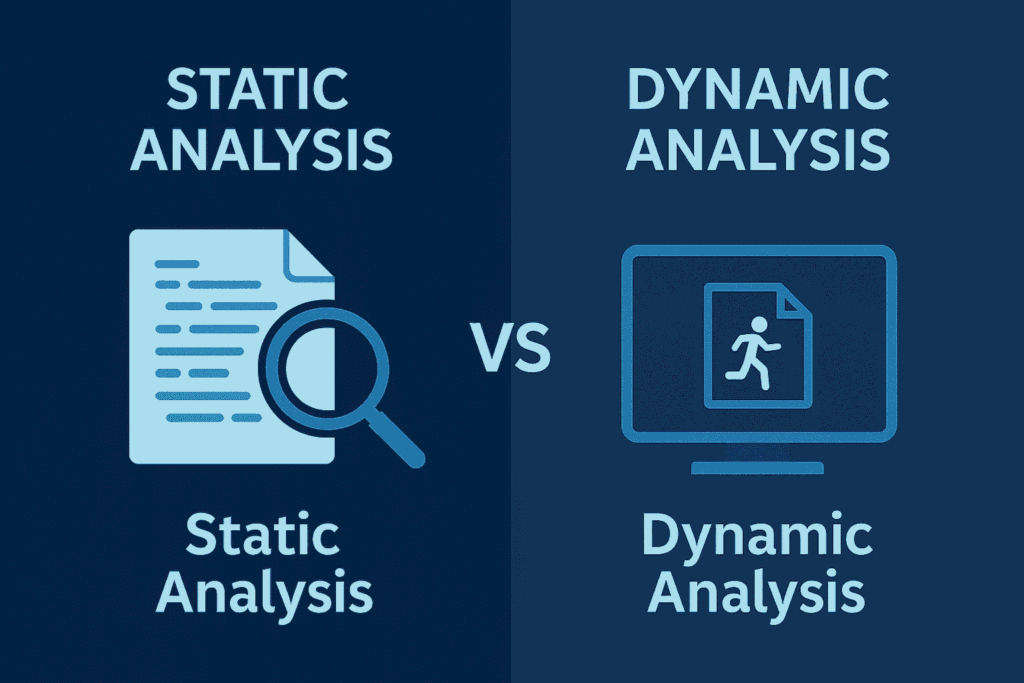
Malware analysis typically relies on two major techniques:
1. Static Analysis – Investigating Without Running Anything
Static analysis is the safe starting point. You inspect the file without executing it. It’s like reading a recipe without turning on the stove.
Static analysis can reveal:
- Internal file structure
- Metadata
- Hardcoded strings
- API imports
- Possible indicators of compromise (IOCs)
- Suspicious or malformed sections
Beginners love static analysis because it’s safe, fast, and offers surprisingly deep insights.
2. Dynamic Analysis – Running the File in a Safe Environment
Dynamic analysis is where the file reveals its true behavior. You run the file inside a controlled virtual machine and observe:
- What files it drops
- Whether it creates persistence
- What processes it spawns or injects into
- What network endpoints it tries to reach
- What data it tries to collect or exfiltrate
- Whether it uses evasion techniques
Dynamic analysis shows the malware’s intentions, not just its structure.
Five Essential Tools for Modern Malware Analysis
Let’s break down the five tools that form a practical, beginner-friendly workflow.
1. PeStudio – Instant Static Triage
PeStudio is often the first tool analysts open. It lets you investigate a suspicious executable without ever running it. Just drag the file in, and PeStudio immediately highlights:
- Metadata
- API imports (with suspicious ones flagged)
- Hardcoded strings (including URLs and IPs)
- Certificates
- Section entropy
Why entropy matters: Entropy measures randomness. Normal code has predictable patterns. Packed or encrypted sections – common in malware – look extremely random. A section with entropy above 7.0 is almost always hiding something. PeStudio makes this incredibly easy to spot.
Download PeStudio: Official PeStudio Tool
2. FakeNet-NG – Watching Malware “Talk” Safely
Malware almost always tries to talk to a Command-and-Control server. Letting it touch the real internet is dangerous. FakeNet-NG solves this by simulating:
- DNS
- HTTP/HTTPS
- FTP
- SMB
- Generic TCP/UDP listeners
When the malware tries to “phone home,” FakeNet-NG intercepts everything and shows you exactly what it tried to send. This is often the moment when the story behind the malware becomes obvious.
Just as DNS security protects against IP exposure in production environments, network simulation tools like FakeNet-NG prevent malware from contacting real C2 servers during analysis.
Download FakeNet-NG: GitHub Repository
3. Cuckoo Sandbox – Automated Behavioral Analysis
If PeStudio is your microscope, Cuckoo Sandbox is your full laboratory. Upload a suspicious file → Cuckoo executes it inside an isolated VM → and generates beautifully structured reports.
Cuckoo automatically captures:
- File system activity
- Registry changes
- Process creation and injection
- Network requests
- Dropped payloads
- Screenshots
- API call traces
This gives beginners a complete picture without needing reversing knowledge. Malware often exploits vulnerabilities like SSRF for C2 communication, and Cuckoo helps capture these network behaviors for analysis.
Download Cuckoo Sandbox: Official Website
4. capa – Understanding What the Malware Is Capable Of
capa analyzes an executable and explains what the malware can do – even if those behaviors didn’t run during dynamic analysis. It detects behaviors like:
- Keylogging
- Registry persistence
- HTTP communications
- Process injection
- Exfiltration routines
- Sandbox checks
capa’s output is clean, readable, and beginner-friendly. You don’t need to interpret cryptic assembly – it tells you directly. Tools like capa can detect privilege escalation capabilities in malware, similar to techniques covered in our Windows privilege escalation guide.
Download capa: GitHub Repository
5. x64dbg – The Bridge to Deeper Reversing
While the first four tools are beginner-friendly, x64dbg is where you start leveling up. It lets you:
- Set breakpoints
- Step through code instruction-by-instruction
- Watch memory values change
- Extract decrypted payloads
- Reveal configuration data
- Identify anti-debugging techniques
Even simple tasks – like breaking on CreateFileA – provide invaluable learning experiences. If static analysis shows high entropy, x64dbg helps you unpack the “real” payload during runtime.
Download x64dbg: Official Website
A Simple, Beginner-Friendly Malware Analysis Workflow
Here’s a practical workflow used by both beginners and professionals:
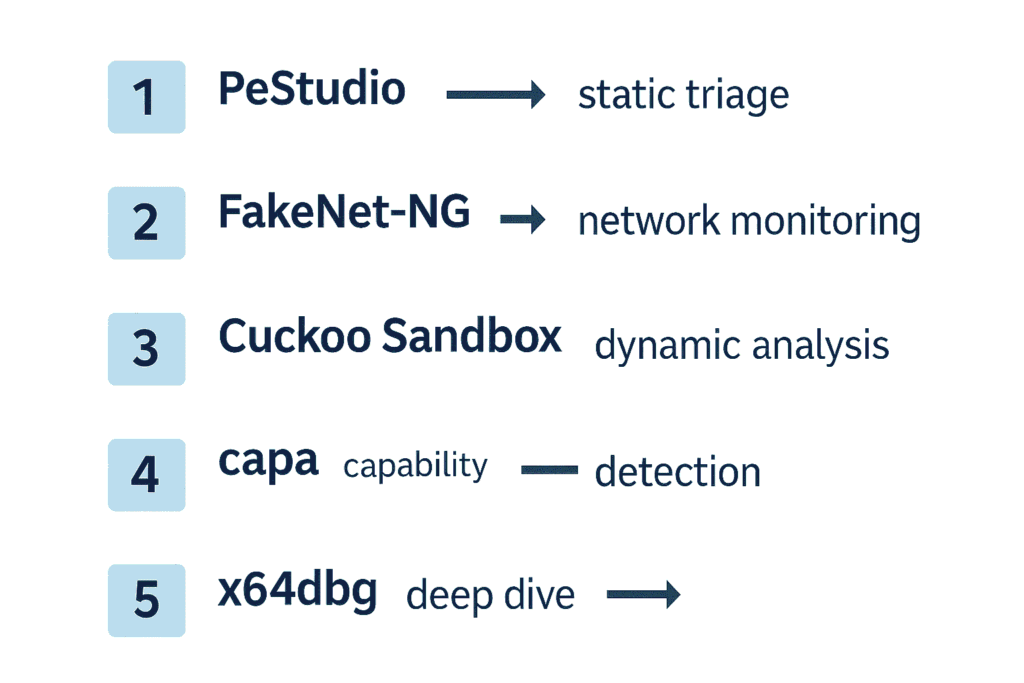
- PeStudio → First impression: Spot suspicious APIs, entropy, strings, and anomalies.
- FakeNet-NG → Network monitoring: Watch communication attempts in a completely safe environment.
- Cuckoo Sandbox → Full dynamic analysis: Get automated behavioral reports and drop files, registry changes, etc.
- capa → Capability detection: Confirm capabilities, even those not triggered dynamically.
- x64dbg → Deep dive (optional): When something is encrypted, hidden, or suspiciously complex.
By the end, even a beginner can say things like:
- “This sample downloads a second-stage payload.”
- “It uses process injection to hide inside explorer.exe.”
- “It attempts to exfiltrate data via HTTP POST.”
- “It performs AES decryption of configuration data.”
This is real analysis – and it’s surprisingly attainable.
The Human Side of Malware Analysis
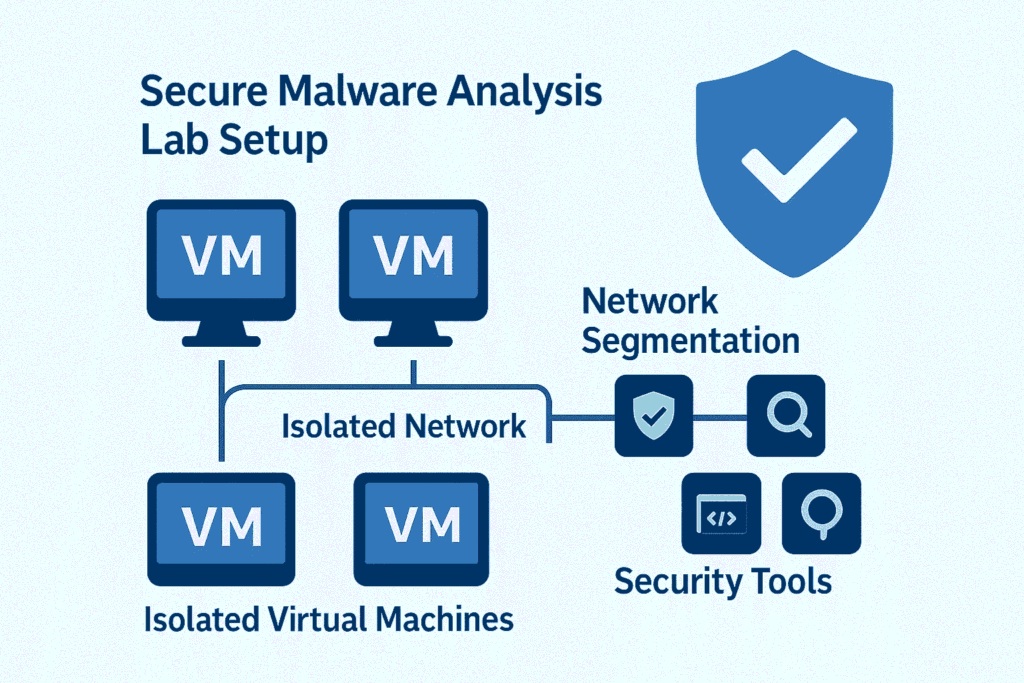
One of the most important lessons in malware analysis is this: You learn the craft by doing – not just by reading. Automation helps, but no automated system understands nuance like a human analyst.
If you’re entering this field:
- Build a small malware lab
- Use safe samples from MalwareBazaar, TheZoo, or ANY.RUN
- Learn a bit of Python
- Explore Windows internals
- Try reverse-engineering CTFs
- And most importantly: experiment often
Patterns start to reveal themselves with practice. Practice your skills with exercises from Malware Traffic Analysis to build real-world experience.
Final Thoughts
Malware analysis doesn’t have to be intimidating. With a clear workflow and the right set of tools, anyone can begin uncovering the hidden behaviors inside suspicious files.
Start with PeStudio. Let FakeNet-NG and Cuckoo show you real behavior. Use capa to decode capabilities. Explore x64dbg when you’re ready to peel back deeper layers. This five-tool ecosystem forms the backbone of modern malware analysis – from beginner learning environments to professional DFIR investigations.
For more advanced threat intelligence, refer to the MITRE ATT&CK framework which categorizes adversary techniques and helps analysts understand the bigger picture.


